
Click Per Second Test
The Click Per Second test shows how many clicks you can make in one second. Start clicking and check the speed as CPS. A CPS tester will help you improve your clicking speed.
Pick a length, then click the pad as fast as you can.
Your score lands here the moment time runs out.
What is the CPS Test?
“CPS” stands for clicks per second, so the click per second test shows how quickly you can click your mouse in a set amount of time. In test you can measures your mouse-clicking speed in clicks per second. Try to click as many times as you can before time runs out. It helps gamers increase their clicking speed for games that require rapid clicking. The CPS test counts your total clicks and divides them by the number of seconds to give you your CPS test score. With this Click Per Second counter, you can track your results, compare scores, and try to beat your best clicking speed each time you test.
If you want to count without time limit then try counter clicker. You can access multiple counter clickers too.
How the Click Speed Test Works
Six steps from your first click to a score worth bragging about.
-
Choose your test length
One second rewards raw burst speed, sixty seconds exposes whether you can actually hold a rhythm. Five and ten seconds are the sweet spot most people compete on.
-
Pick your input
Mouse mode measures how fast your finger can fly, while spacebar mode uses the keyboard — a different muscle group entirely, and usually a different score.
-
Click the pad to begin
There’s no countdown to sit through. The timer starts the instant you land your first click, so nothing is wasted and nothing is stolen from your total.
-
Watch your count climb
Your clicks tick up in real time as the gold bar drains along the bottom edge. That bar is your clock — when it empties, the test ends and your count is locked.
-
Compare what you scored
Your clicks per second and per minute appear instantly, with a rank that adjusts for test length, because seven clicks a second held for a full minute is a far greater feat than seven in a one-second burst.
-
Repeat to beat yourself
One click on the retry arrow restarts immediately, and every run is saved to your browser, so your personal best is always sitting there waiting to be broken.
Features of Our Click Per Second Test
Multi-Duration Testing
Test your clicking speed across different time intervals to measure and compare your CPS.
Cross-Device Compatibility
Run the CPS test smoothly on your computer or mobile device. Work smoothly on both devices.
Real-Time Results
Run the CPS test smoothly on your computer or mobile device. Work smoothly on both devices.
Unblocked CPS Test Access
Our CPS test can be accessed from school, work, and almost any firewall. It is more secure than many online programs.
Unlimited Testing Access
Let you practice CPS test as much as you want. Practice more to increase your click per second speed with test.
How is CPS Calculated?
Click per second test, or CPS, measures how often you click in a given time. To find your CPS, divide your total number of clicks by the amount of time you spent clicking.
Here’s the formula you can use:
Clicks Per Second (CPS) = Total Number of Clicks / Total Time in Seconds
Let’s go through an example to explain how to calculate CPS:
For example:
If you click 25 times in 5 seconds, what is your CPS?
Solution:
Total Number of Clicks = 25, Total Time in Seconds = 5
CPS = 25 / 5 = 5 CPS
How Many Clicks in Per Second Are Considered Fast?
To get faster at clicking, you need to click between 5-10 times per second. The CPS test assigns ranks based on your clicking speed. But if you want to avoid becoming a turtle, you must click more than 5 times per second.
How To Achieve This Speed?
To achieve this fast clicking speed, you need to practice daily on CPS test websites. The second method, known as “jitter clicking,” requires you to make slight hand movements while keeping your wrist tense to increase your CPS. The third technique that can help you perform at a high rate is called butterfly clicking, in which you use two fingers to alternate between the same buttons.
World Record for Most Clicks in Seconds
It is widely believed that the record for most clicks per second is held by Dylan Allred of Las Vegas, who reportedly achieved 1,051 clicks in 10 seconds (105.1 clicks per second), according to Record Setter. However, the authenticity of this record has been questioned because the organization rejected it for violating its “no auto-clicking” rules.
Another frequently cited record is that of Tom Andre Seppola from Norway, who set an 830-click record in 30 seconds (27.6 clicks per second) using jitter-clicking methods.
The reason the speed-clicking records differ so much is that they do not have a single organization, like Guinness World Records, that governs them. For example, skilled clickers usually get about 12-25 clicks per second, while average clickers get about 4-8 clicks per second.
Would you like to test your clicking speed? Take our clicking speed test and see how well you can click without worrying about disputable records.
How Many Clicks Per Second Does Hypixel Recognize?
Most of the clicks made become invalid when a player makes more than 13 clicks per second, although there is no fixed number, and it all depends on the game mode and whether the click is a left click or a right click; most of the people click between 7 to 10 CPS, and even then some clicks could be ignored, as the watchdog anti-cheat of Hypixel not only analyzes the clicks per second but also takes into account the rhythm of your clicks, where a perfect rhythmic pattern gets detected as an autoclicker even if the CPS rate is normal.
How Can You Improve the Clicks Per Second Rate?
Increasing your click per second (CPS) can be a fun and rewarding experience, especially if gaming or fast clicking is what you enjoy. Though it may take a while to achieve a high CPS, you can learn to click faster through regular practice and proper techniques. Below are some tips that will help you achieve your highest clicking speed.
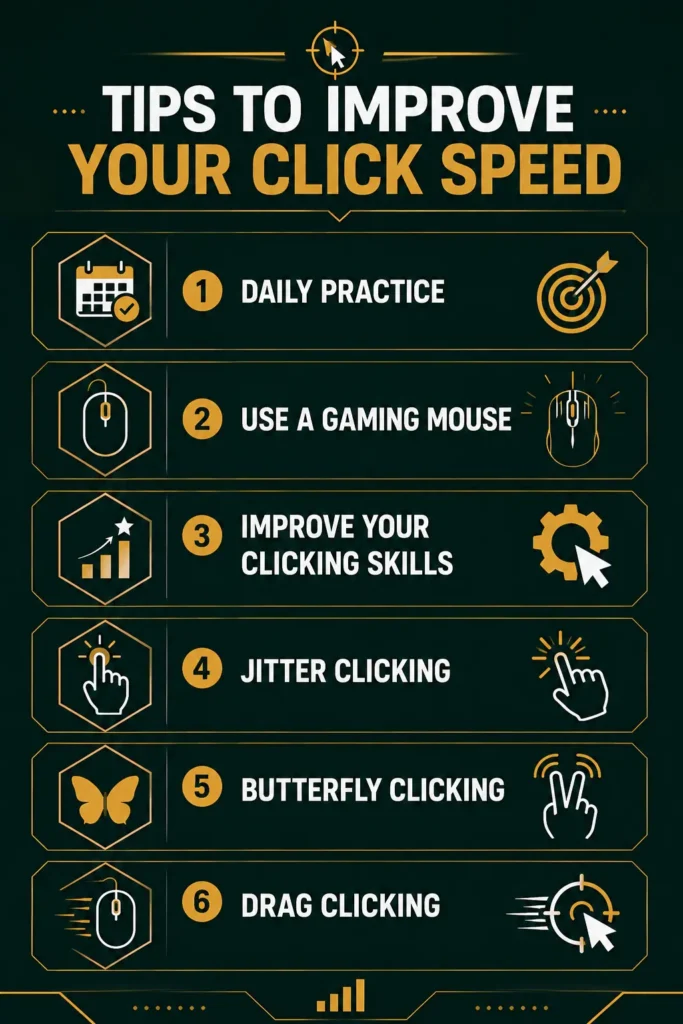
Daily Practice
The best way to improve your CPS is through consistent practice. Take a few minutes each day to use a tool or CPS tester. Consistent practice will build muscle memory and help you control your clicks.
Use a Gaming Mouse
A good-quality gaming mouse can increase the speed at which you click. Gaming mouse typically feature special buttons, user-friendly adjustments, and lower response times, which can be helpful for better clicking performance.
Improve Your Clicking Skills With Techniques
By using several clicking techniques, you can increase your click speed. Various methods may take time to learn; however, they can help you reach your target.
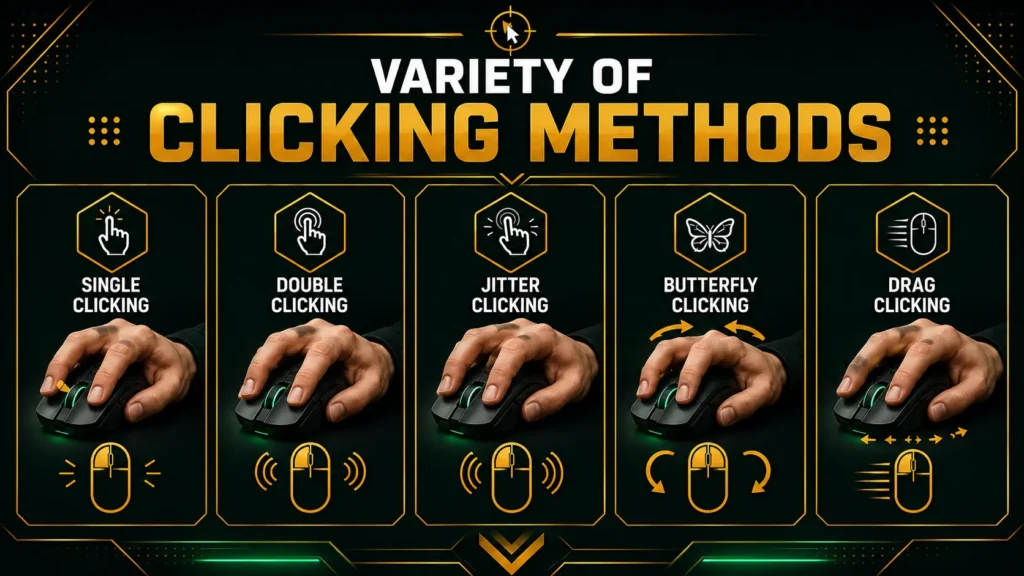
Jitter Clicking
Jitter clicking is a physical movement in which you tighten your wrist and arm muscles to increase the number of clicks you can perform in one second. This method is a good way to increase your clicks per second; however, it requires precision. You should start your training gently and increase your speed afterward, but it is not recommended to do it for long periods in a row, as it may hurt your arm.
Butterfly Clicking
Butterfly clicking uses both the index and middle fingers to alternate clicking a mouse button. This method can nearly double the number of clicks a user can achieve with one finger. Keep your fingers relaxed and click at a steady rhythm. Once you practice enough and get used to this technique, you will find it very fast and effective.
Drag Clicking
Drag clicking involves lightly dragging your finger over the mouse button to produce a series of clicks. This technique can achieve very high CPS, which is why it is used in several games. However, it requires a proper device and grip. Drag clicking can also lead to faster wear on mouse switches.
If you master click techniques, use the necessary devices, and practice with click per second test consistently, you will improve your clicking skills and apply them to your gaming success.
CPS Speed Rankings
|
CPS Speed |
0-3 |
4-6 |
7-13 |
14+ |
|
Ranking |
Slow |
Average |
Fast |
Pro |
What is the CPS Test in Minecraft?
In Minecraft, the CPS test stands for click per second test. This is the rate at which a person can click the mouse button once per second, and it is mostly used to determine how quickly a player can click when playing against another player (PvP). The game can only register 2 CPS from a player. This implies that whether you are clicking 4 CPS or 8 CPS, there won’t be any difference.
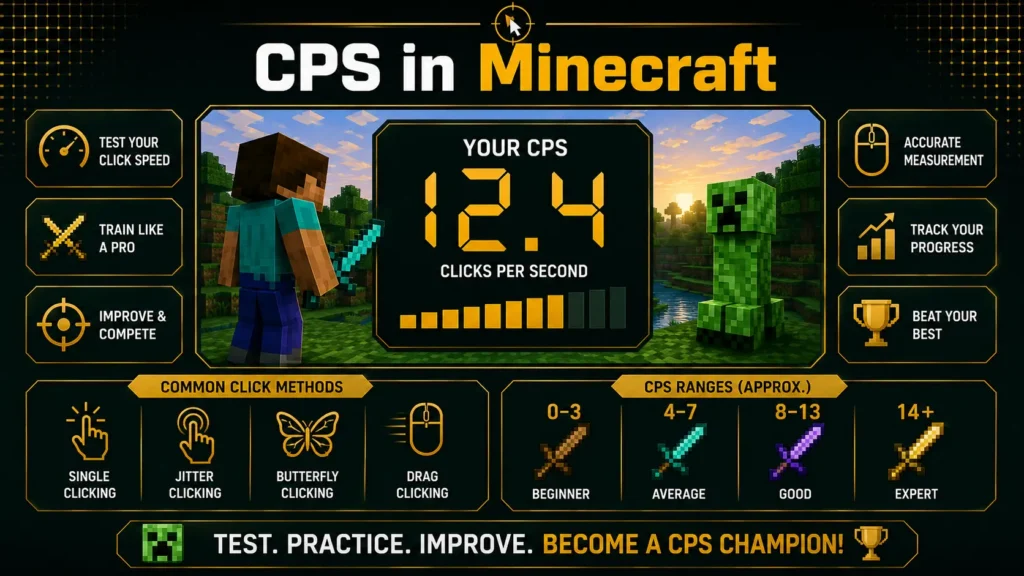
There are four types of clicking categories in Minecraft
1. Extremely slow clicking
If you click only 0-3 CPS, you’re clicking way too slow, and something’s wrong with registering clicks. No reason to click that slow unless you’re chasing someone who’s got speed 2 on them.
2. Moderate slow clicking
If you click 4-7 CPS, then you’re OK to PvP without any issue. The benefit of slow clicking speed is that you can have a steady aim while PvPing, and you won’t have to worry about trying to give yourself an early case of carpal tunnel by making your hand shake like crazy.
3. Moderately high clicking
If you click 8-13 CPS, this is where you will start to get things tricky in Minecraft PvP. With shaky hands, you do not get too many benefits.
4. Extremely fast clicking
This could get complicated. If you click at 14+, you have a really unusual benefit over others. When you are in a Minecraft PvP battle, you hit someone, and your sprint gets interrupted. When you start extremely fast hits on the player, you will get more reach on him.
How Can I Maintain Health and Ergonomics While Improving Clicking Speed?
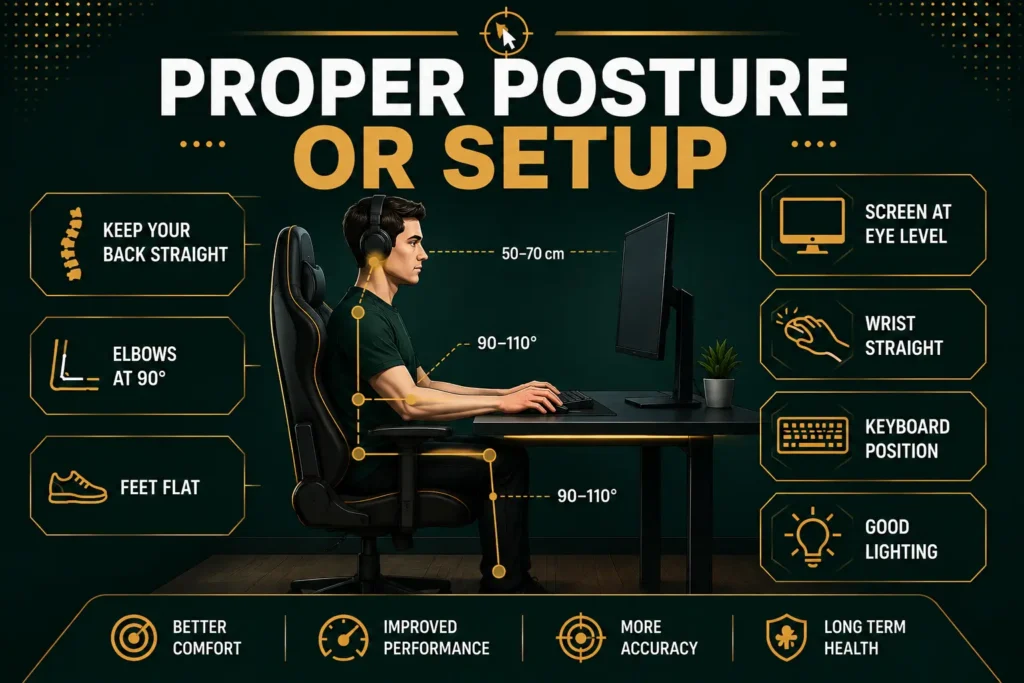
Proper Posture and Setup
It is essential for long-term health and well-being and for improving your clicking speed. Adjust the height of your chair so that your feet rest on the floor and your knees are at a 90-degree angle. Keep the monitor at eye level to avoid neck strain, and align your mouse and keyboard at elbow level. Ensure that your wrist position is neutral. This setup minimizes physical stress during lengthy clicking sessions.
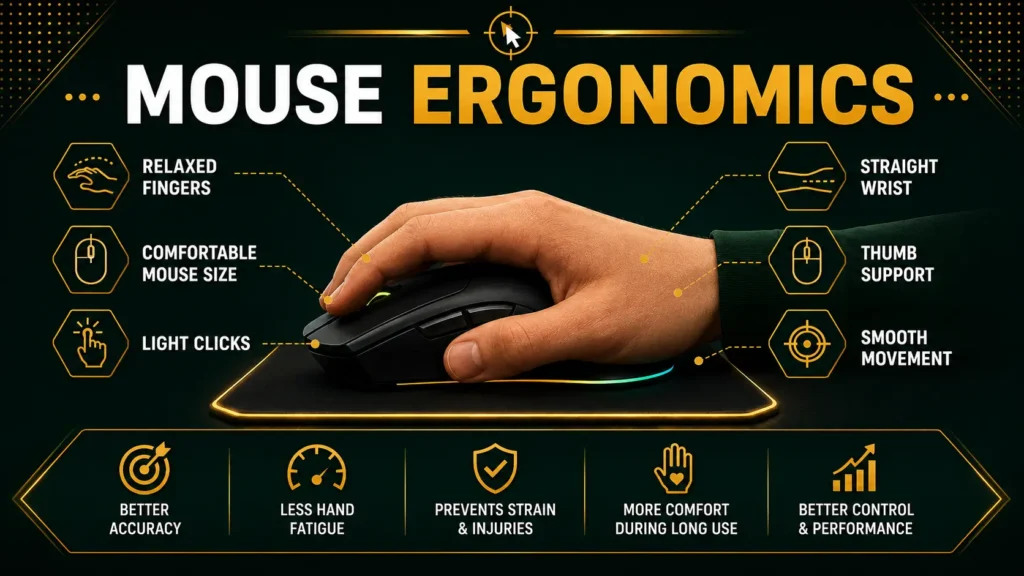
Mouse Ergonomics
Select an ergonomic mouse that fits your hand size comfortably. When you’re clicking at high speed, it reduces strain.
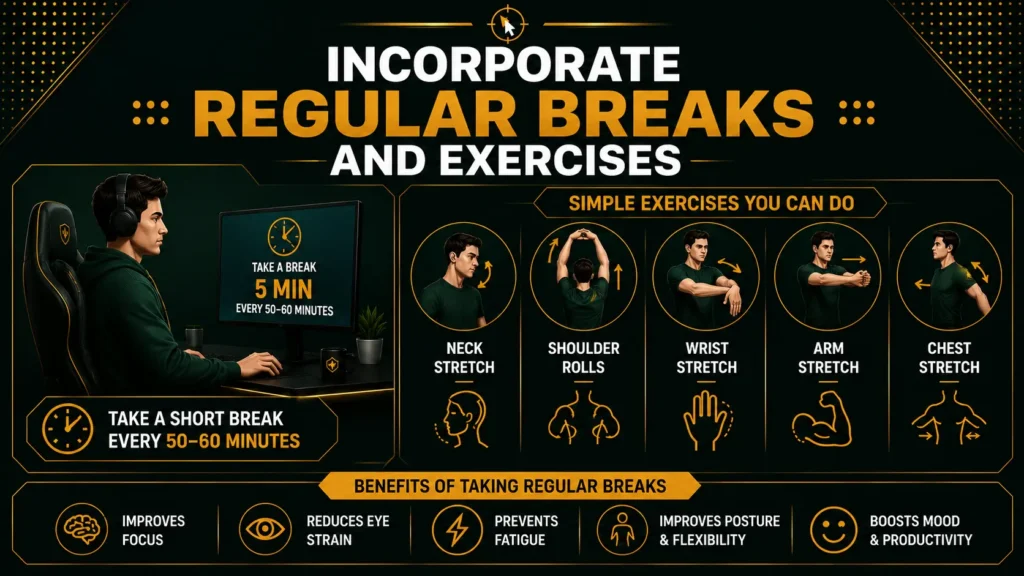
Incorporate regular breaks and exercises
Your practice is important. Follow the 20-20-20 rule: after every 20 minutes, look 20 feet away for 20 seconds to reduce eye strain. Take 5-minute breaks every hour to stretch your fingers, wrists, and arms. Simple exercises such as finger and wrist stretches can help maintain flexibility and prevent stiffness during repetitive work.
Variety of clicking methods
Use a variety of clicking methods to distribute stress over all muscle groups and individual muscles. Strive for success over speed, and rank your clicks by control rather than force. This will help improve your performance and minimize stress during clicking.
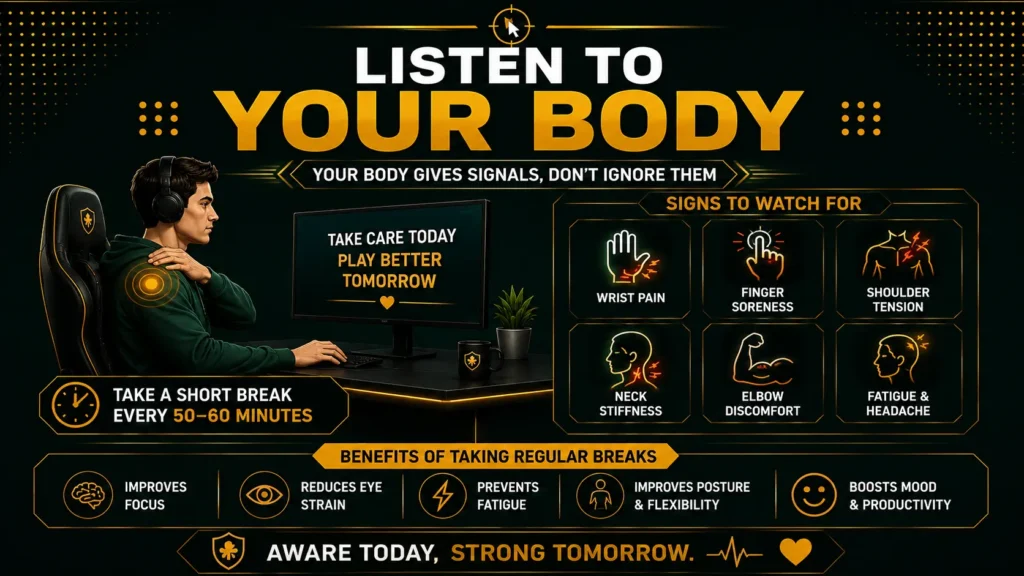
Listen to your body
Be aware of any signs of pain or discomfort and take action to solve the situation. If you experience any pain, numbness, or weakness, you must reach out to a doctor. Your body sends out important signals that help you know if you have developed any illness.
Benefits of Taking a CPS Test
Do you ever wonder if your clicking speed is good enough? You can figure that out by taking a CPS. Thanks to a fast clicking speed, you can get your work done faster and gain an advantage in games. In addition, you can impress your friends with it! Many gamers already know the importance of CPS, as it is key to accuracy and scoring. It has also been shown that a multiplayer game can positively impact a player’s health. Usually, the speed of a mouse click can be increased through the regular practice of different techniques such as butterfly or jitter clicking.
The CPS test is more than a game; it is also a test that helps users gain many benefits, like the following:
Stress Release
Taking a CPS test is an effective way to relieve you from stress. By focusing on improving your previous clicks-per-second record, you can forget about problems and pay attention only to the test. This helps you achieve a calm, stress-free emotional state.
Strike up new ideas
Using the CPS test will help you identify new, effective methods to achieve a high CPS score. You will start thinking of great ways to get more clicks than before and improve your creativity even more.
Helps in increasing focus
When you try to make more and more clicks per second and achieve a higher CPS score, it trains your brain to stay focused. This helps you increase your CPS and stay focused on other routine tasks.
Improve consistency
If you have ever tried to increase your CPS, you may understand that it is not something you can achieve in one day. Mastering the art of clicking and improving your CPS requires hours of commitment and weeks of practice. But once you reach that point, you will become more successful in other areas of your life.
How to Break CPS Test Records
It is a known fact that records can be broken. What you need to break old records and set new ones is nothing but practice; dedication and consistency are important.
One of the most efficient and easiest ways to break CPS test records is to learn various clicking techniques, such as jitter clicking, butterfly clicking, and drag clicking. These clicking techniques will help you increase your clicking speed and improve your score. Moreover, it is better to use a gaming mouse instead of a regular laptop mouse. You will see a difference in your CPS results after using a gaming mouse. The tips above will only help if you have the desire to practice them and master those techniques until you beat the record and set new CPS records.
Different CPS Test Modes (1, 5, 10, 15, 30, & 60 Seconds)
Using various CPS tests can show different features of your abilities as a clicker. While short tests are mainly aimed at finding the maximum possible speed, longer ones will help evaluate your endurance and consistency in clicking. Therefore, the results of tests conducted across multiple modes can give you a clearer picture of your click performance.
|
Test Duration |
Best for |
|
1 Second |
Measuring your maximum burst speed. |
|
5 Seconds |
Quick accuracy and reaction-speed checks. |
|
10 Seconds |
The most popular option for balanced CPS testing. |
|
15 Seconds |
Testing both speed and consistency over a slightly longer period. |
|
30 Seconds |
Evaluating endurance and maintaining a stable clicking pace. |
|
60 Seconds |
Measuring long-term consistency and hand stamina. |
If you want to compare your performance with your friends or track your improvement over time, it is advisable to use the same time mode each time. The 10-second CPS Test is the most frequently used because it demonstrates performance in both speed and control, while longer tests show how long you can maintain your speed.
Troubleshooting Common Issues
If you’re having trouble with your mouse clicking randomly or not clicking properly, you can use the CPS Test Tool. This tool can determine what’s causing the issues with your mouse. Many things can cause missed clicks, such as hardware issues, improper mouse techniques, and incorrect operating system settings. Testing your clicking speed and accuracy allows you to troubleshoot mouse issues with ease. If you need to clean your mouse or fix its hardware, the tool will help you do it without issue.