
Free Online Cell Counter – Count Cells Easily
Our free online cell counter helps you record live and dead cells, review results, and save your data. Use it with your hemocytometer counting process directly in your browser. No sign-up required.
Cell Counter
Hemocytometer counting with live and dead cells, viability and cells per mL.
Loading counter…
What is a Cell Counter?
A cell counter is a tool used to record the number of cells in a sample. In laboratory settings, cells may be counted manually under a microscope using a counting chamber called a hemocytometer.

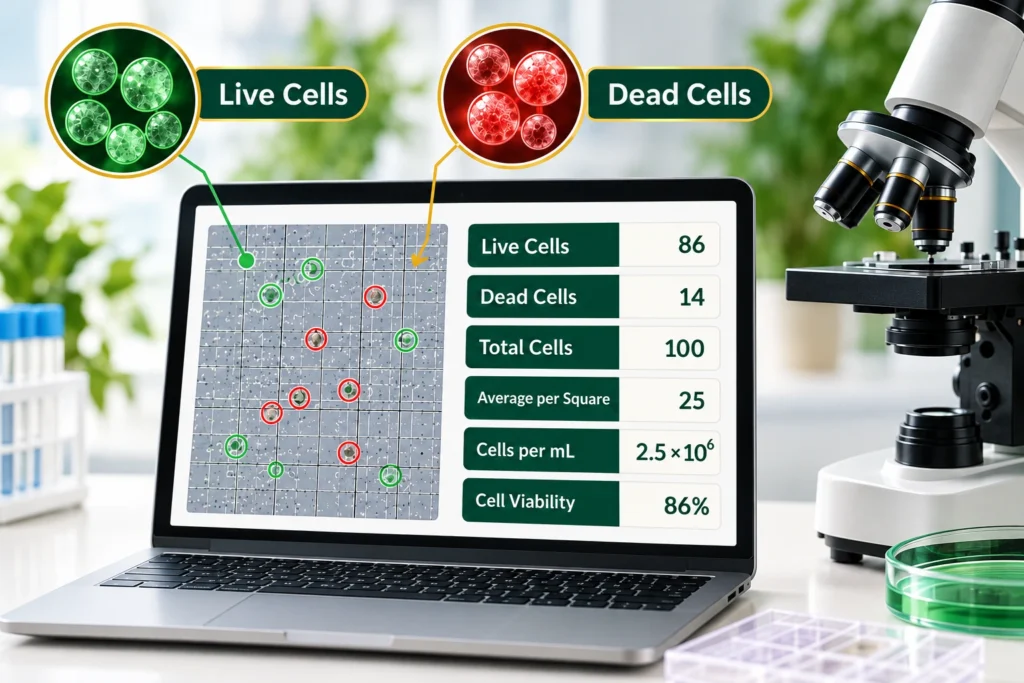
This online cell counter makes it easier to keep track of live and dead cells while reviewing values such as total cells, average per square, cells per mL, and cell viability. You enter the counts yourself, and the tool helps organize the numbers and perform supported calculations.
How to Use the Cell Counter?
The counter lets you record cell counts, correct mistakes, and review your results in a few simple steps.
Choose the Squares
If you are using a hemocytometer, select the appropriate squares according to your counting method. Count the cells within each selected area and enter the numbers into the counter. Follow consistent counting rules to avoid counting the same cell twice or missing cells along the boundaries.
Count Live Cells
Record the cells identified as live in your sample. Add to the count as you examine each selected square. Live cells should be identified using a laboratory method, such as a suitable viability stain, when required. The online counter records your entries but cannot determine whether a cell is alive.
Count Dead Cells
Record dead cells separately using the corresponding counting control. Keeping both counts separate makes it easier to calculate the total counted population and cell viability. If you make a mistake, use Undo to correct your counting action, where supported. Check the values before moving on.
Review the Results
After entering your counts, review the results, including total cells, average per square, cells per mL, and cell viability. Check that the values match your recorded counts and that the dilution factor is correct before using the data for further calculations or laboratory records.
Note:
This online cell counter helps record and calculate cell counts, but it does not detect cells automatically. Enter your observations carefully and verify the calculated results before using them in laboratory records.
Understanding Your Cell Counting Results
Cell-counting results summarize the numbers you enter and help you understand the cell population you have counted.
Total cells
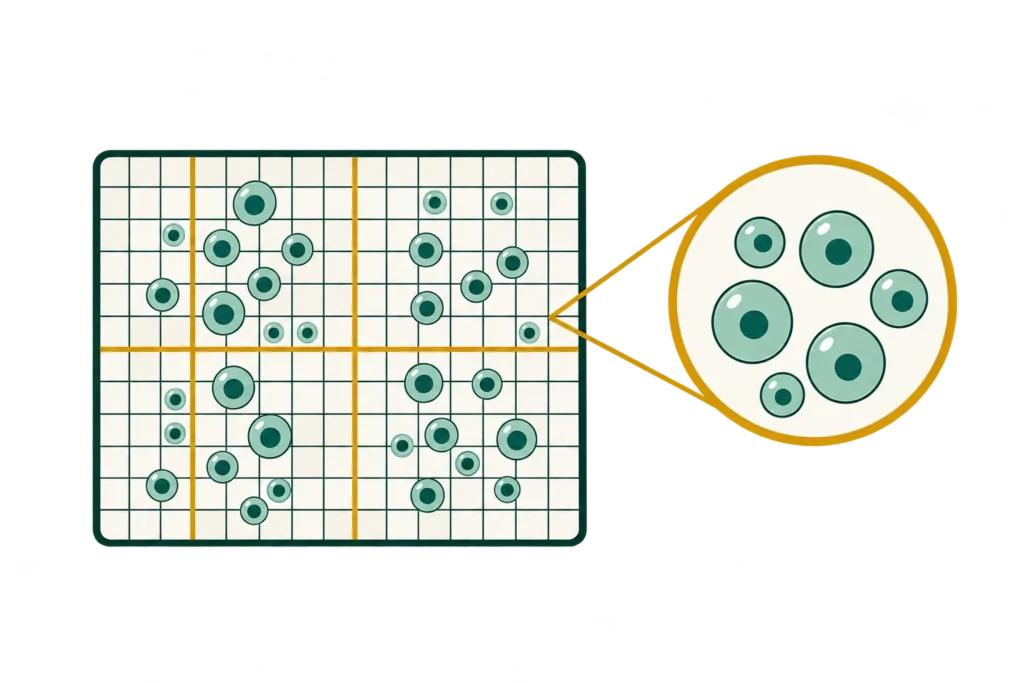
Total cells represents the combined number of cells included in the calculation. When live and dead cells are counted separately, their sum represents the total counted population of cells.
Total = No.of Live cells+No of Dead cells
If you count 90 live cells and 10 dead cells, the total cells are :
Total=90+10 =100
Average per square
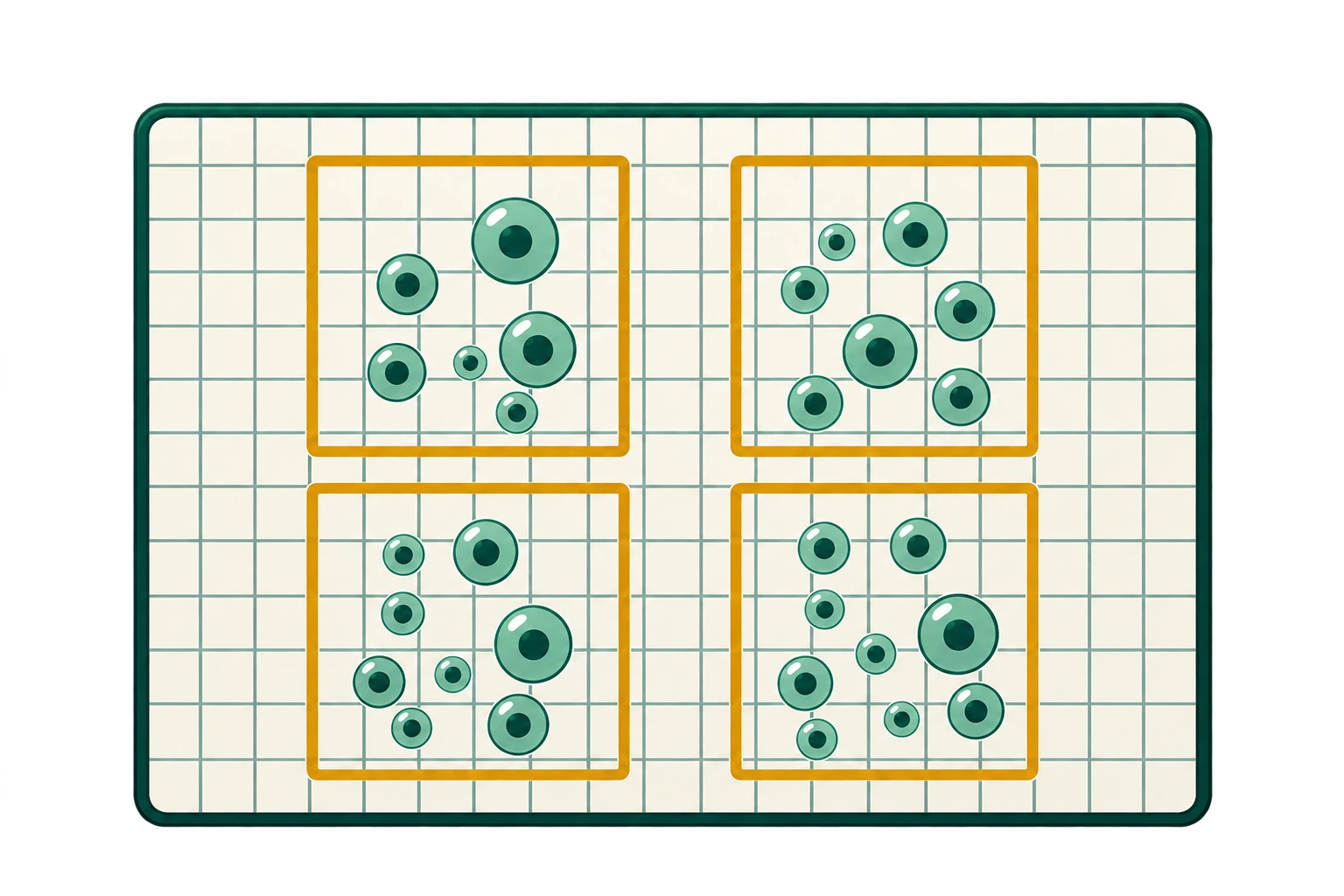
The average per square is calculated by dividing the cell count by the number of squares counted. This helps estimate cell concentration when chamber dimensions and other factors are known.
Average per square = Total cells / No.of squares
Counting 80 cells across four squares gives an average of :
Average per square=80/40 =20
Cells per mL

Cells per mL shows the number of cells in one milliliter of sample. For standard large squares in an Improved Neubauer chamber, use the formula below to estimate cell concentration accurately.
Cells per ml= Average cells per large square × 10⁴ × Dilution factor
If 50 cells per square are counted with a dilution factor of 2.
Cells per ml=5× 10⁴×2
= 1,000,000cell/ml
Cell viability
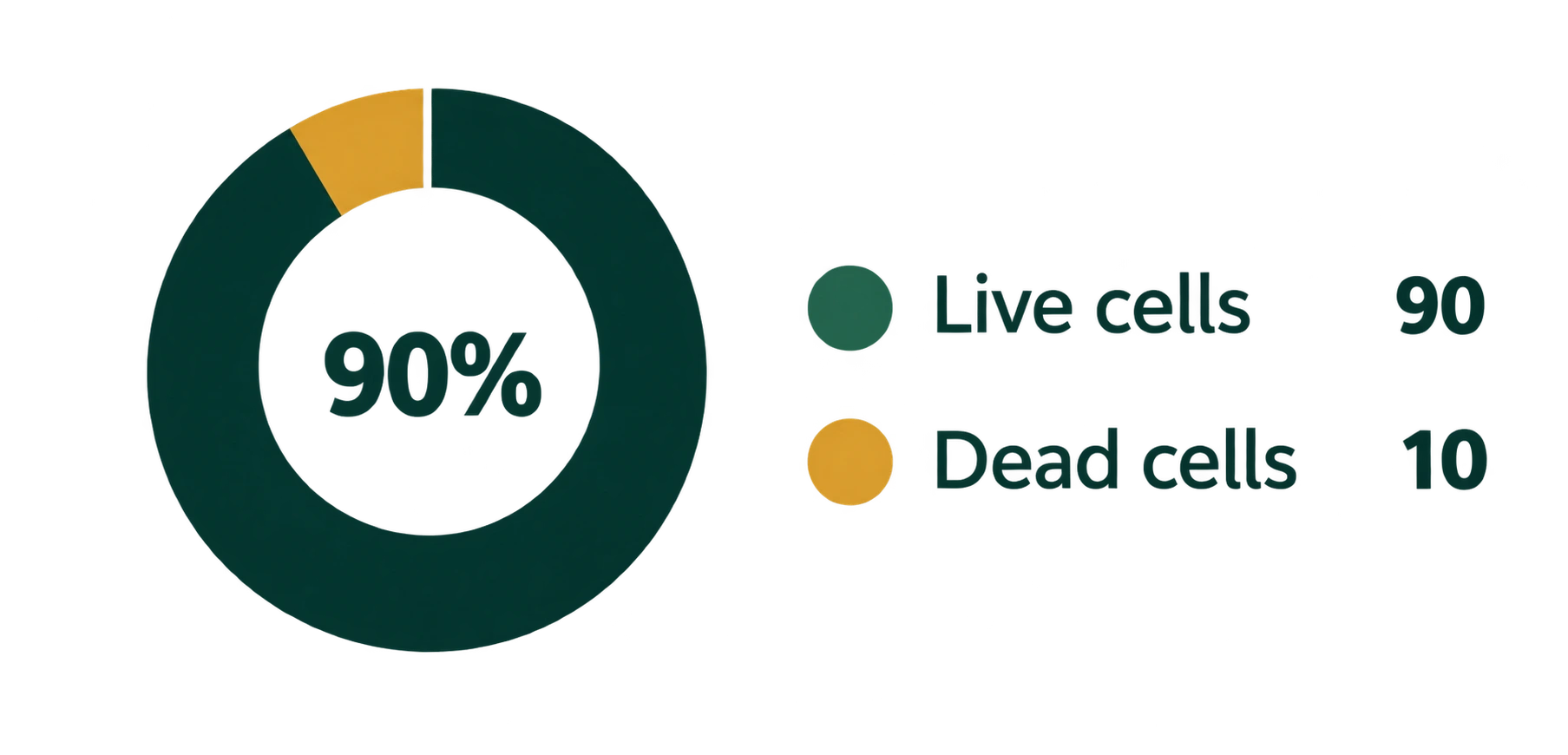
Cell viability shows the percentage of cells classified as live. Results depend on accurate live and dead cell entries; the counter calculates the values but cannot verify cell status.
Cell Viability = Live cells ÷ (Live cells + Dead cells) × 100
If 90 cells are live and 10 are dead, the cell viability percentage is 90%.
Cell viability=90÷(90+10)×100 =90%
Features of Cell Counter
The tool includes practical options for managing your counting session and keeping a record of your results.
Undo
Undo reverses your most recent counting action when you make a mistake. It helps you correct an entry without restarting the entire session.
Reset
Reset clears the current counts so you can begin a new session. Save or download any results you need before resetting.
Save Results
The CSV option saves supported counting data in a spreadsheet-friendly format. You can open the file in compatible spreadsheet applications to review or organize your records.
Download as PDF
Download your results as a PDF for convenient viewing, printing, or sharing. Check the file after downloading to ensure it contains the information you need.
Sound
The sound option provides an audible response when you use the counting control. This feedback can help you notice counting actions without looking at the screen every time.
Screen View
A large screen view makes the counting interface and numbers easier to see. It can be useful when working on a desktop monitor or when you prefer a larger display during counting.
How Cell Counting Works with a Hemocytometer
A hemocytometer is a specialized chamber with a ruled grid used to count cells in a known volume of liquid under a microscope. The Improved Neubauer chamber is a commonly used design for manual cell counting.
Read the hemocytometer guide to understand standard counting procedures.
Understanding the Improved Neubauer Chamber
A standard Improved Neubauer chamber has a grid of designated counting areas and a chamber depth of 0.1 mm. Each large square has an area of 1 mm², giving it a volume of 0.1 mm³, equivalent to 10⁻⁴ mL. The selected squares depend on the cell type and counting procedure. Correct sample loading, consistent boundary rules, and careful observation help produce more reliable counts.
Benefits of Online Cell Counter
Saves Time
Record cell counts and results without repeating manual calculations each time.
Easy to Use
Enter live and dead cell counts with a clear, user-friendly interface each day.
Keeps Results Organized
Save your data as a CSV file or download a PDF for future reference and notes.
Works in Your Browser
Use this online tool in your browser without installing counting software now.
Simplifies Calculations
Automatic calculations reduce manual arithmetic when your entries are correct.
Tips for Accurate Cell Counting
Use a Clean Hemocytometer
Keep the chamber and coverslip clean, and follow your lab’s sample preparation procedure carefully.
Follow a Consistent Counting Pattern
Count selected squares systematically and apply consistent boundary rules to avoid double-counting.
Record Live and Dead Cells Separately
Enter live and dead cells separately to support correct total-count and cell viability calculations.
Check Your Entries
Review cell counts, squares counted, and dilution factor before using the final calculated results.
Follow Laboratory Guidelines
Follow an established counting protocol and verify results according to your laboratory guidelines.
Frequently Asked Questions
Disclaimer
This online cell counter is intended for educational and general laboratory recordkeeping purposes only. It does not detect or verify cells automatically and is not a validated medical or diagnostic device. Results depend on user-entered counts, selected settings, and the accuracy of the counting procedure. Always follow established laboratory protocols and independently verify results before using them in research or laboratory work.